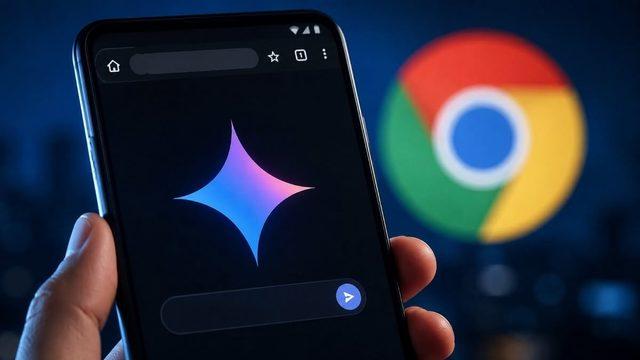
Google has rolled out its Gemini AI integration for the Chrome browser on Android, initially launching it for users in the United States. Aimed at transforming the mobile web experience, the update brings capabilities such as summarizing active web pages directly via an address bar shortcut or menu, editing images, and collaborating with applications across the Google ecosystem.
Key Features of the Gemini Integration
The Gemini support coming to Chrome for Android introduces functional tools that bring the desktop experience to mobile devices. Users can perform the following actions directly within the browser:
- Page Context and Summarization: Open web pages can be directly added as context to AI prompts. Long content can be summarized in seconds, and questions about the page can be answered.
- Personal Intelligence Integration: Connected services such as Google Calendar, Keep, and other linked services (Personal Intelligence) can be enabled or disabled via the tools menu.
- Pinatable Panel and Image Editing: The page panel can be pinned to the bottom of the screen, allowing users to interact with Gemini while continuing to browse the web. Additionally, thanks to the Nano Banana integration, images can be edited directly through the browser.
- Automated Task Management: Offered to Google AI Pro and Ultra subscribers, the automated browsing feature allows the AI to handle complex processes such as vacation planning, finding parking for an event, or updating orders. For sensitive steps like making a purchase, the system always requires user confirmation.
Usage and Access Details
Currently available to users in the US in this first phase, the feature can be accessed conveniently via the toolbar shortcut right next to the address bar or through the three-dot menu. If they prefer, users can disable the feature that adds web pages as context through the settings menu.
Industry Implications and Impact on the Mobile Experience
The native inclusion of AI assistants in mobile browsers accelerates how users access information while fundamentally changing how they interact with websites. The merging of search engine and browser integrations under a single roof maximizes mobile device efficiency, particularly for tasks requiring long-article reading, data analysis, and personal organization. The gradual rollout of such features in the global market indicates that AI is becoming a standard layer in mobile web standards.
Frequently Asked Questions
Is a paid subscription required to use the Gemini integration in Android Chrome?
Basic page summarization, context addition, and standard AI features are available to all Chrome users. However, advanced task management features like automated browsing require Google AI Pro and Ultra subscription plans.
Can the inclusion of web pages in the AI context be turned off for privacy reasons?
Yes, users have complete control to disable the feature that adds open web pages as context to Gemini prompts by using the browser settings menu.
*This news article was prepared based on data published by Webtekno — Artificial Intelligence.
💬 Comments
No comments yet. Be the first!
You must be logged in to comment.
🔑 Log In