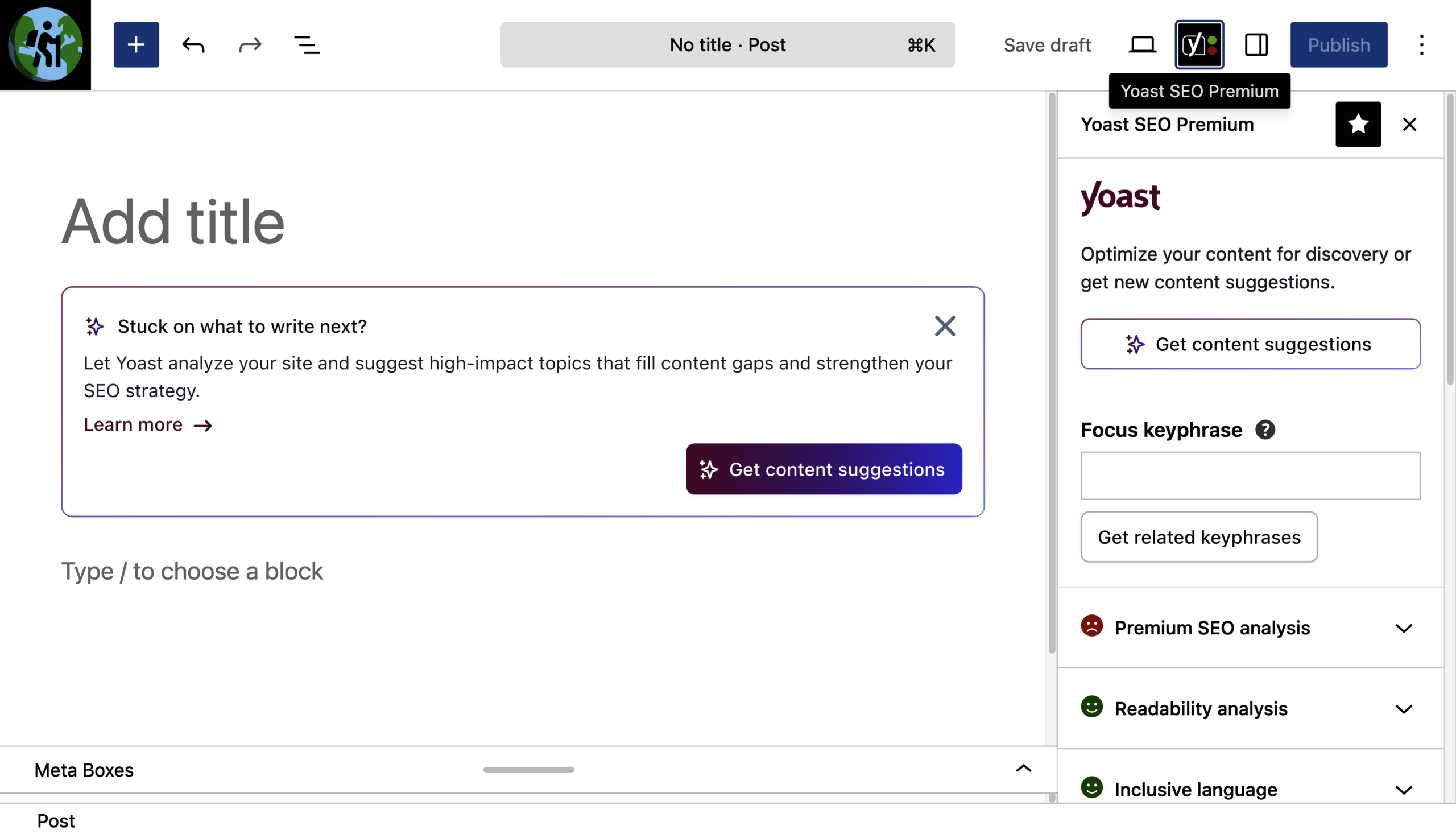
The new Yoast AI Content Planner tool, rolled out for Yoast SEO Premium users, scans existing site content when a new post is opened in the WordPress editor, offering five different topic suggestions and turning the chosen idea into an SEO-friendly, structured draft. This feature helps content creators overcome writer's block and jump-start the writing process with a ready-to-use template complete with keywords, titles, and section notes.
Key Features and How It Works
The new tool is fully integrated directly into the WordPress editor, requiring no additional installation or external logins. When users open a blank post page, the system automatically performs the following steps:
- Site-Specific Idea Generation: Suggestions are not generic or random; they are generated by directly analyzing the site's existing content structure and identifying gaps.
- Structured Drafts: Once one of the five suggestions is selected, the tool generates a complete skeleton featuring an SEO-driven title, an H2 subheading distribution, a focus keyword, a meta description, and content notes for each section.
- Refresh Option: If the initial five ideas do not meet expectations, users have the option to refresh with a new set of ideas per session.
Things to Keep in Mind
To get the most out of the Yoast AI Content Planner, a site must already have a sufficient amount of published content. If the site has not yet reached adequate data depth, the tool will not provide suggestions—displaying a low-confidence warning instead of performing a content analysis. This indicates that the tool is designed for platforms that are actively producing content and looking to fill content gaps, rather than brand-new sites built from scratch.
Frequently Asked Questions
Do I need to purchase an external AI plugin or API key to use the Yoast AI Content Planner?
No, the tool works directly within the WordPress editor and requires no additional setup, external dashboard logins, or third-party API keys.
How does the system determine whether there is enough content on the site, and what happens if it falls short?
The system scans the current site structure and published posts to check whether it can build a meaningful topic network; if data is insufficient, it displays a "low confidence" warning instead of offering suggestions.
*This news report is based on data published by the Yoast SEO Blog.
💬 Comments
No comments yet. Be the first!
You must be logged in to comment.
🔑 Log In