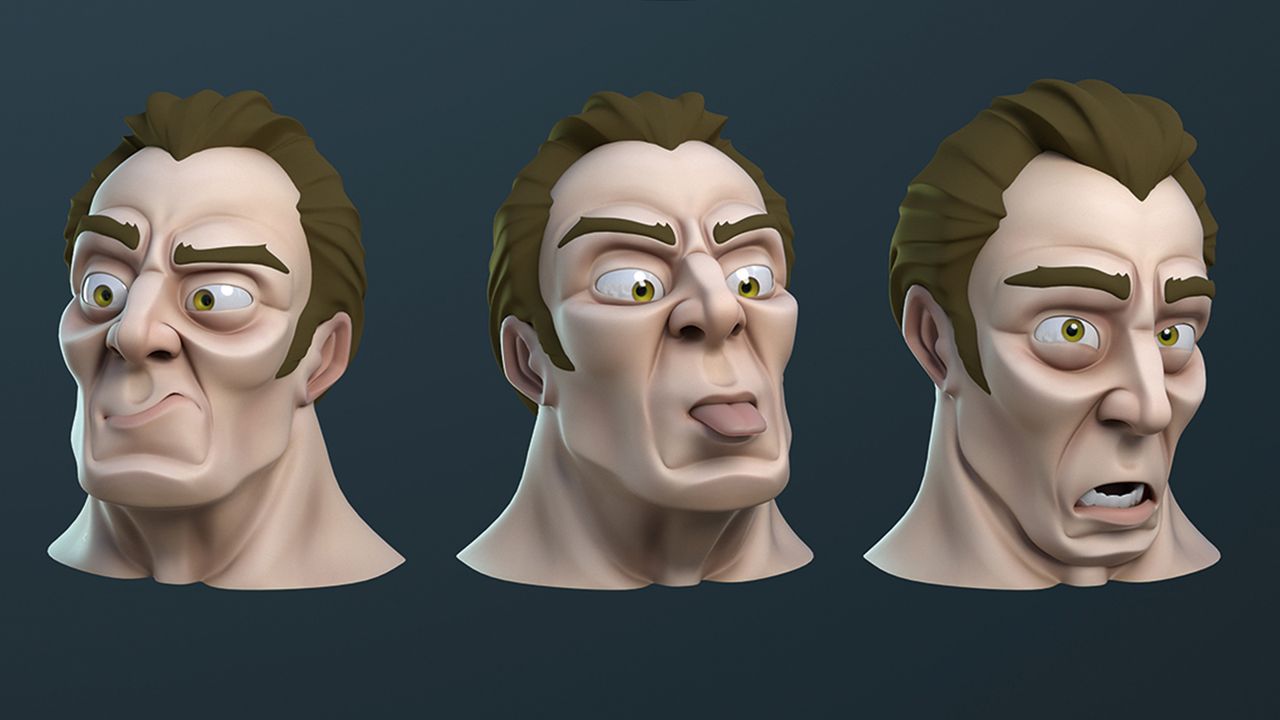
In 3D animation, blend shapes are a fundamental technique and animation tool used to achieve organic and fluid movements by deforming a model's geometry from its original form into predefined target forms. Highly straightforward to set up, this method delivers exceptionally natural results, particularly for facial expressions and character emotions.
How Blend Shapes Work
The blend shape technique is essentially based on blending two or more 3D model variations that share the exact same vertex count and topology. Using the base mesh as a reference, the animation artist creates different target shapes (morph targets) such as blinking, smiling, or frowning.
These transitions are typically controlled via sliders or weight values ranging from 0 to 1. For instance, when the value is increased from 0 to 1, the character begins to smile; by using intermediate values, the intensity of the expressions can be precisely adjusted.
Applications and Advantages
Because this technique yields fast and impressive results without the need for complex rig systems, it is widely favored in digital content production. The primary use cases in the industry include:
- Facial Expressions and Lip-Sync: Rapidly changing mouth shapes (visemes) during speech animation.
- Character Customization: Allowing players to modify facial features or body proportions within game engines.
- Organic Deformations: Simulating complex organic transitions such as muscle movements or clothing folds.
Industry Implications and Best Practices
When using blend shapes in 3D modeling and animation projects, maintaining a consistent model topology is of utmost importance. When creating target shapes, the vertex count and index order must match the base model identically; otherwise, the software cannot correctly calculate the transition between models, resulting in geometric distortion. When properly prepared, this tool grants animators a high degree of control without increasing render times.
Frequently Asked Questions
Why must the model topology remain constant when using blend shapes?
The software relies on the positional changes of vertices to calculate animation transitions. If the topology or vertex count changes, the software cannot map which point moves where, leading to flawed deformations.
What is the main difference between blend shapes and traditional skeletal rigging?
Skeletal animation manages general movements (such as bending arms and legs) using joints and bone structures, whereas blend shapes focus on smoothly blending direct shape changes—such as facial expressions or muscle contractions—that do not require joints.
*This article was prepared based on data published by Creative Bloq.
💬 Comments
No comments yet. Be the first!
You must be logged in to comment.
🔑 Log In