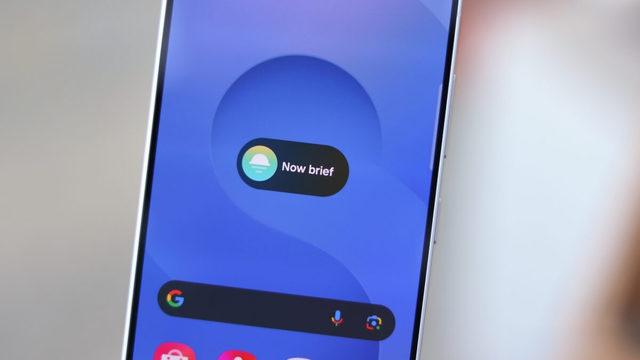
Samsung's AI-powered Now Brief feature is receiving a "Pay Now" function with the One UI 9.0 update, allowing users to automatically track upcoming bills and payments and make payments directly through notifications. First debuted on next-generation foldable devices, this new feature expands the functionality of smart assistants into daily financial tracking.
What's New with Pay Now and How It Works
Featured on the Galaxy Z Flip 8, Galaxy Z Fold 8, and Galaxy Z Fold 8 Ultra models—which ship out of the box with One UI 9.0—the updated Now Brief offers seamless integrations designed to simplify users' routines. The system stands out with the following core capabilities:
- Automated Tracking: Detects incoming bills and automatically identifies due dates.
- Timely Notifications: Sends proactive reminders to users to prevent missed payments.
- Direct Payments: Enables users to pay directly through the notification interface without leaving the app, using credit cards, debit cards, or local payment accounts linked to Samsung Wallet.
Development Process and Global Rollout Status
This feature was developed by engineers at Samsung's R&D centers in Bengaluru and Noida, India, tailored to the dynamics of the local market. The company has not yet made an official statement regarding whether this special version, targeted at Indian consumer needs, will be rolled out to other Samsung users in global markets in the future.
Industry Implications
The evolution of AI assistants from mere information tools into active managers of daily routines is becoming a clear trend in the mobile technology sector. Samsung's step toward fintech integration with Now Brief indicates that smartphone interfaces will play an increasingly central role in personal finance management going forward.
Frequently Asked Questions
Which Samsung models feature Pay Now out of the box?
The feature is currently available on the Galaxy Z Flip 8, Galaxy Z Fold 8, and Galaxy Z Fold 8 Ultra models, which ship with One UI 9.0.
Which app needs to be configured to make direct payments?
To make quick payments directly through notifications, users must have a credit card, debit card, or supported payment account linked to the Samsung Wallet app.
*This news article was prepared based on data published by Webtekno — Artificial Intelligence.
💬 Comments
No comments yet. Be the first!
You must be logged in to comment.
🔑 Log In